
How to Set Snaps in Leather
In this guide, I’ll show you how to set snaps (press studs) in leather using simple hand tools. I’ll cover the different parts of a snap, the tools required, common mistakes, and when to use each type.
Snaps are one of the simplest and most useful closures you can use when working with leather.
They’re pretty strong, and if installed properly, they will last for years.
If you’ve never set a snap before, they can look confusing at first. There are multiple parts, different sizes, and several tools that all look slightly similar.
But once you understand how they work, they’re actually really quick and easy to use.
Let’s break it down.
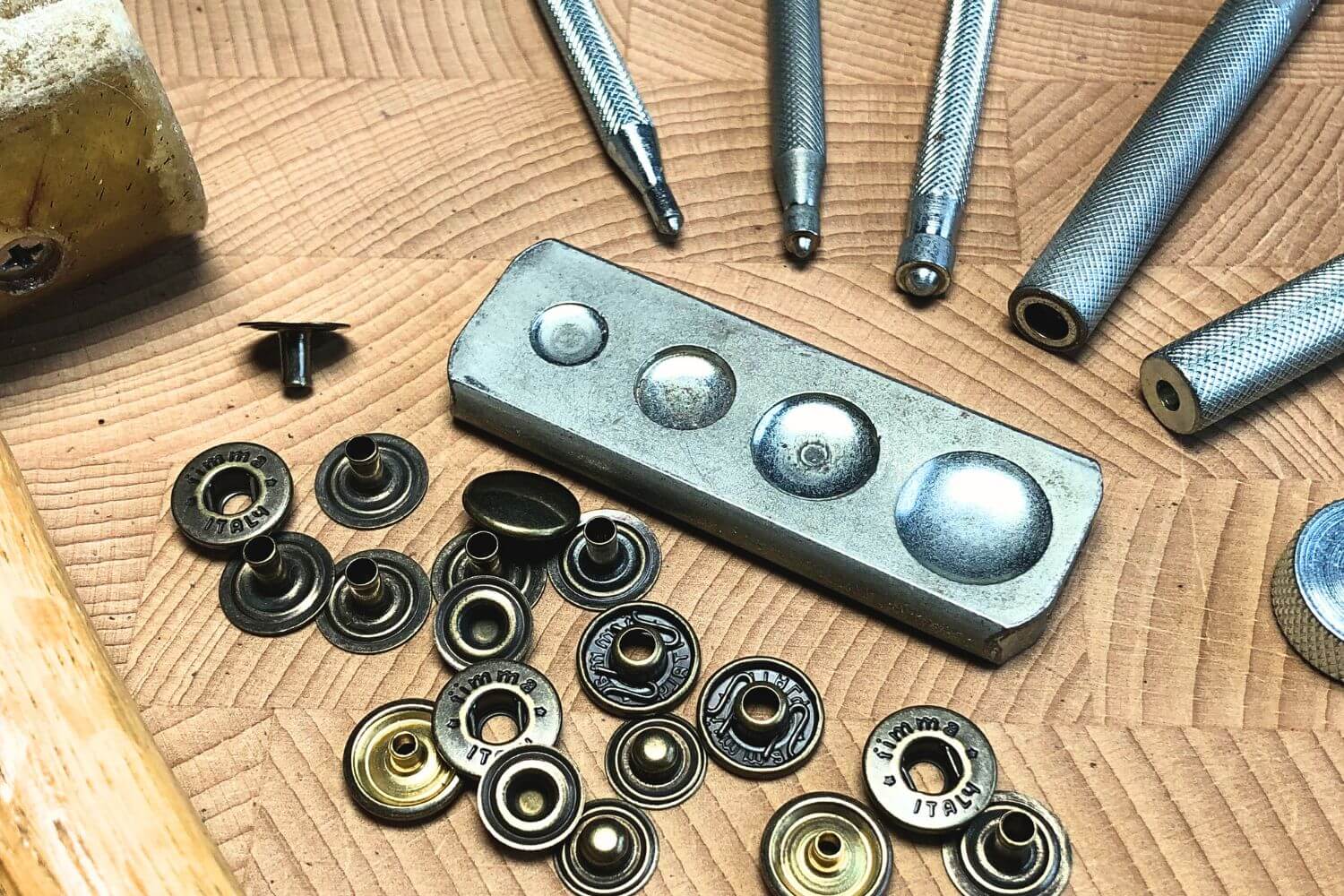
Disclosure: This article contains affiliate links. If you purchase through these links, I may earn a small commission at no extra cost to you. As an Amazon Associate, I earn from qualifying purchases.
The Parts of a Snap
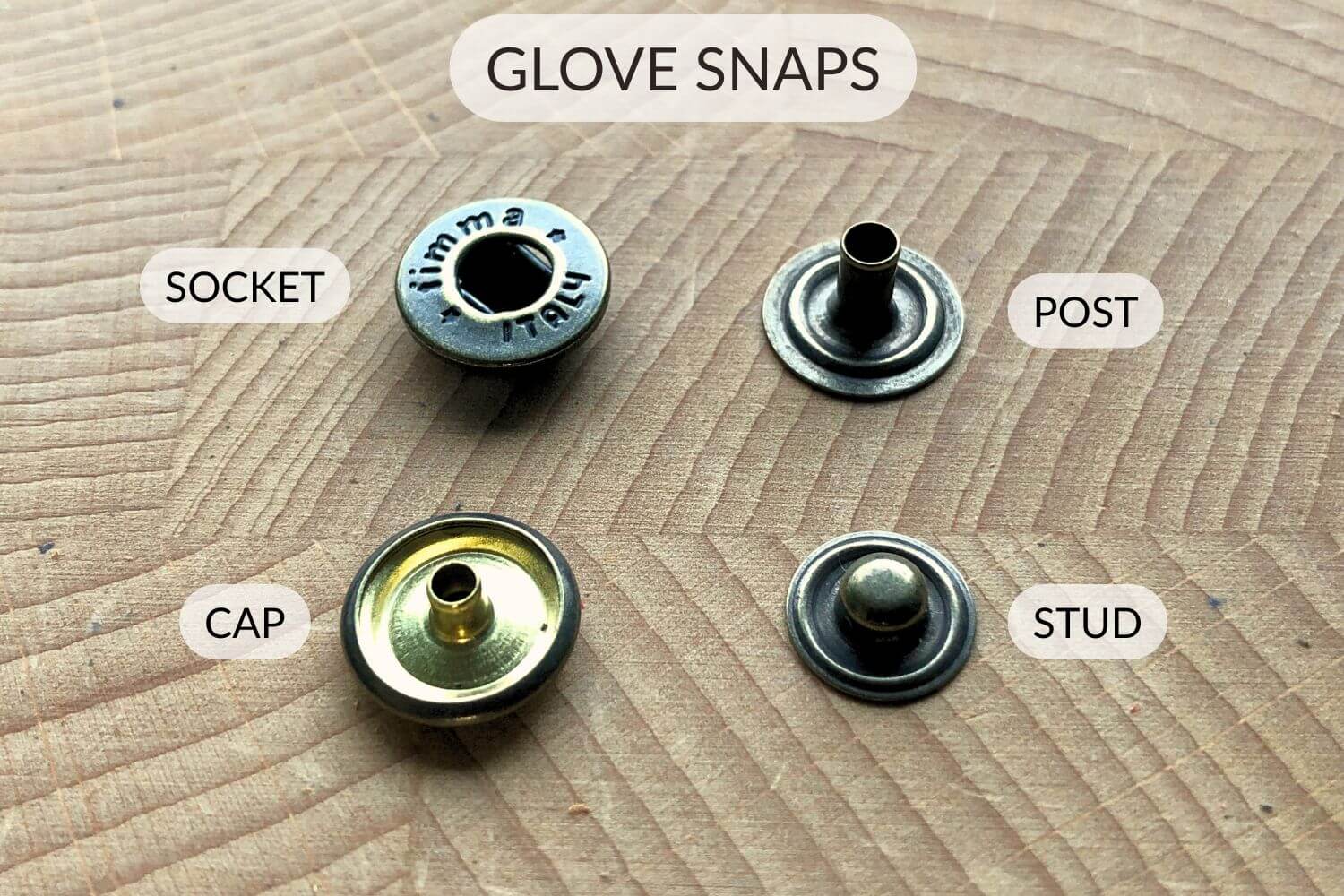
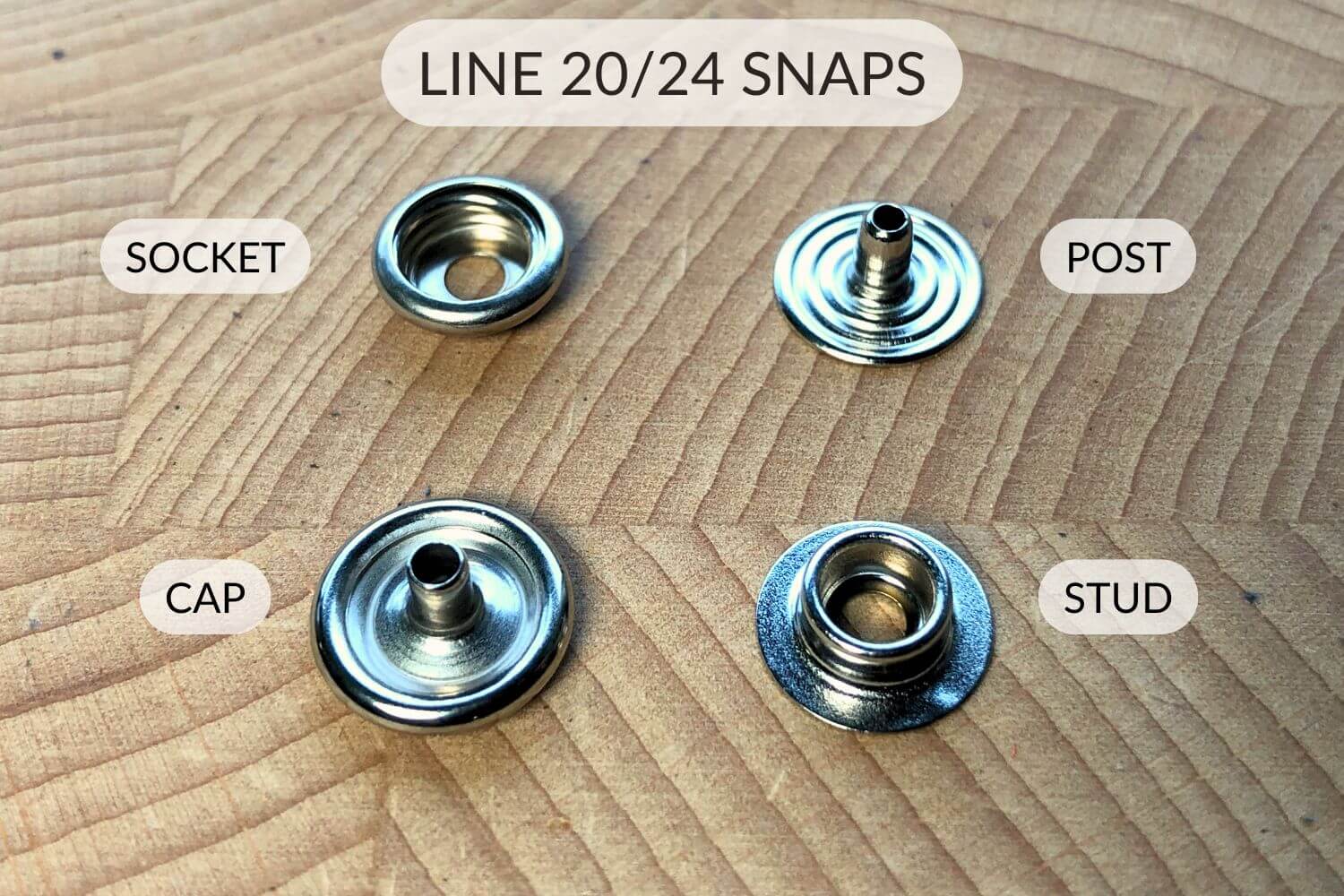
A standard leather snap consists of four parts:
1. Cap
This is the visible top part. It usually has a smooth, rounded surface.
2. Socket
This connects to the cap and is the “female” part of the snap.
3. Stud
The “male” part that clicks into the socket.
4. Post (or Eyelet)
This secures the stud to the leather.
You install them in two halves:
Post +Stud
Cap + Socket
Types of Snaps
The most common snaps in leathercraft are:
Line 20 Snaps
→ Good for lighter leather (3-6 oz or 1-2.5 mm).
Often used in projects like wallets, small pouches, and notebook covers.
Line 24 Snaps
→ Stronger and slightly larger. Used on leather 5 oz and thicker, you can also get longer posts for these to use on very thick leather. Good for bags, and heavier or rugged items like projects that get more stress.
Glove Snaps
→ Can be smaller and more delicate. Useful for lightweight leather goods, (3-6 oz or 1-2.5 mm). They come in mini and regular. I often use the regular size for small wallets and similar projects.
In summary, they are the same type of hardware but they differ in size and the leather thickness they are used for. Also, they all require different setting tools, so make sure your setting tool matches the snap you want to use.
Tools You Need
(Some of the tools below are affiliate links.)
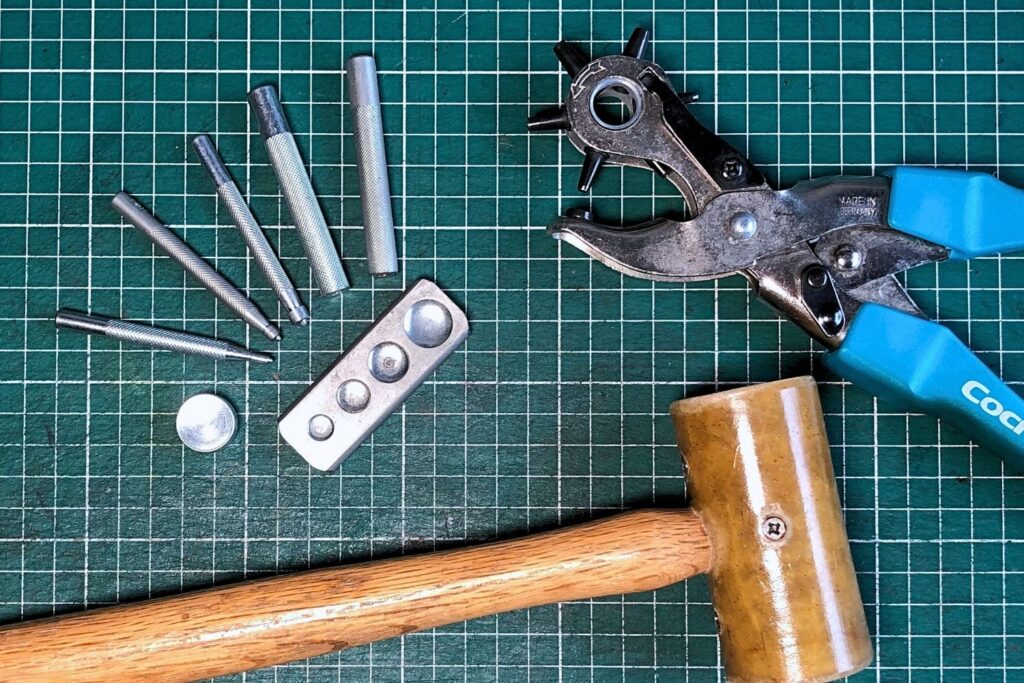
To set snaps by hand, you’ll need:
- A Snap Setting Tool that matches the type and size of snap you want to set.
- An anvil or solid metal base.
- A Rawhide Mallet (don’t use a metal hammer as this will damage your setting tools over time).
- A hole punch (Rotary Punch).
- A firm surface underneath (granite slab or similar).
Step-by-Step: How to Set Snaps by Hand
These diagrams show how each half of the different types of snaps are assembled:
Assembly Diagram
for Glove Snaps:
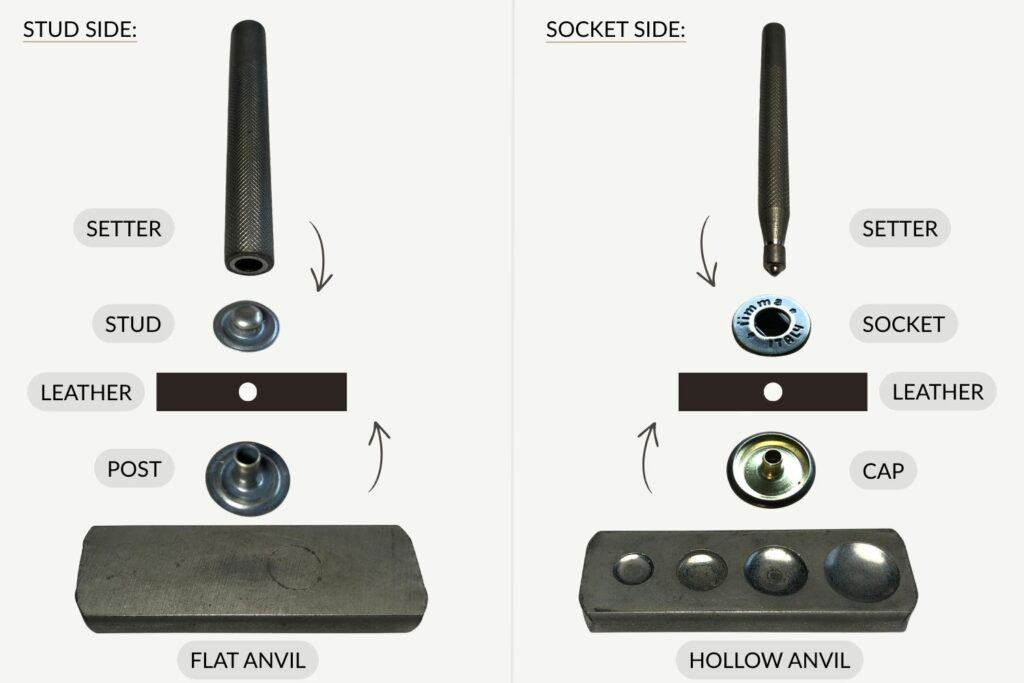
(Click to Enlarge)
Assembly Diagram
for Line 20/24 Snaps:
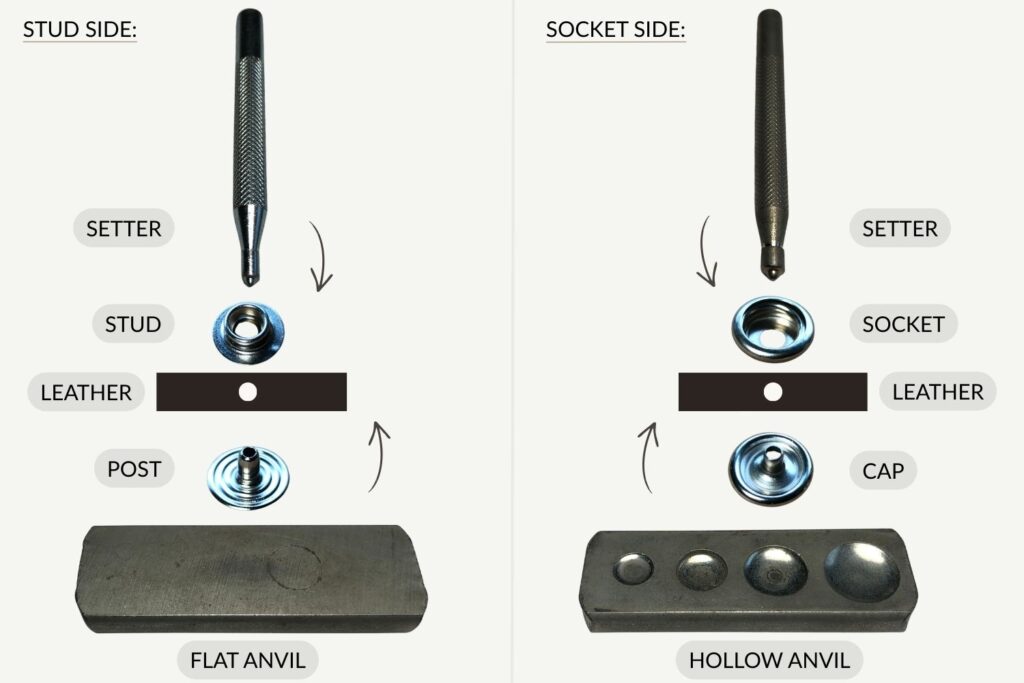
(Click to Enlarge)
1. Mark Your Placement
Carefully measure and mark where the snap should sit. Double check alignment before punching.
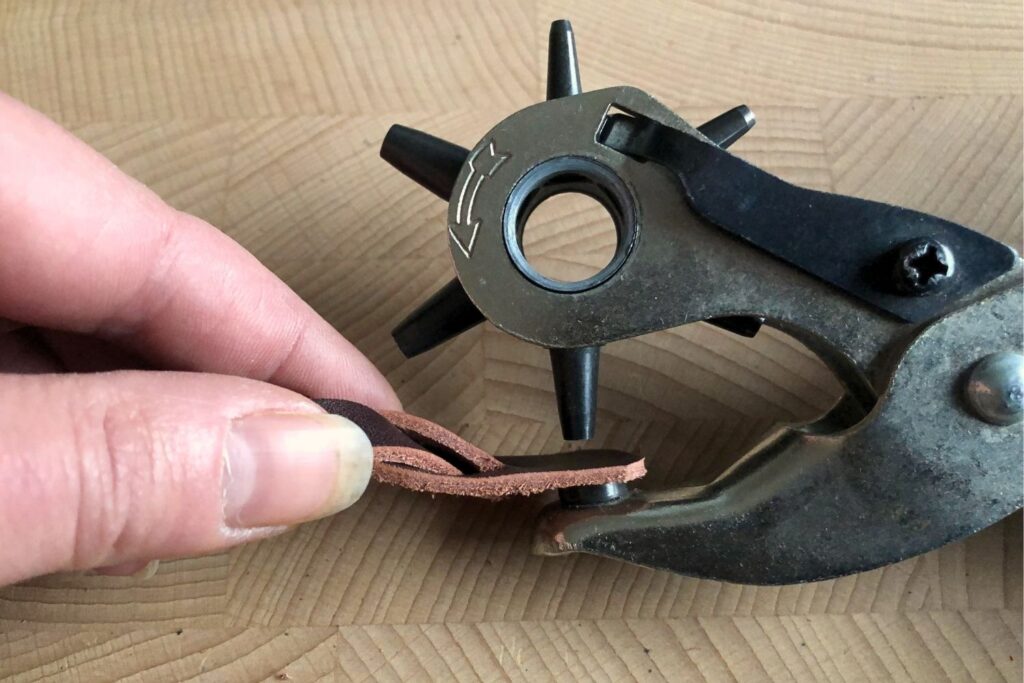
2. Punch the Hole
The hole should be just large enough for the post to pass through.
If the hole is too big, the snap will not hold securely.
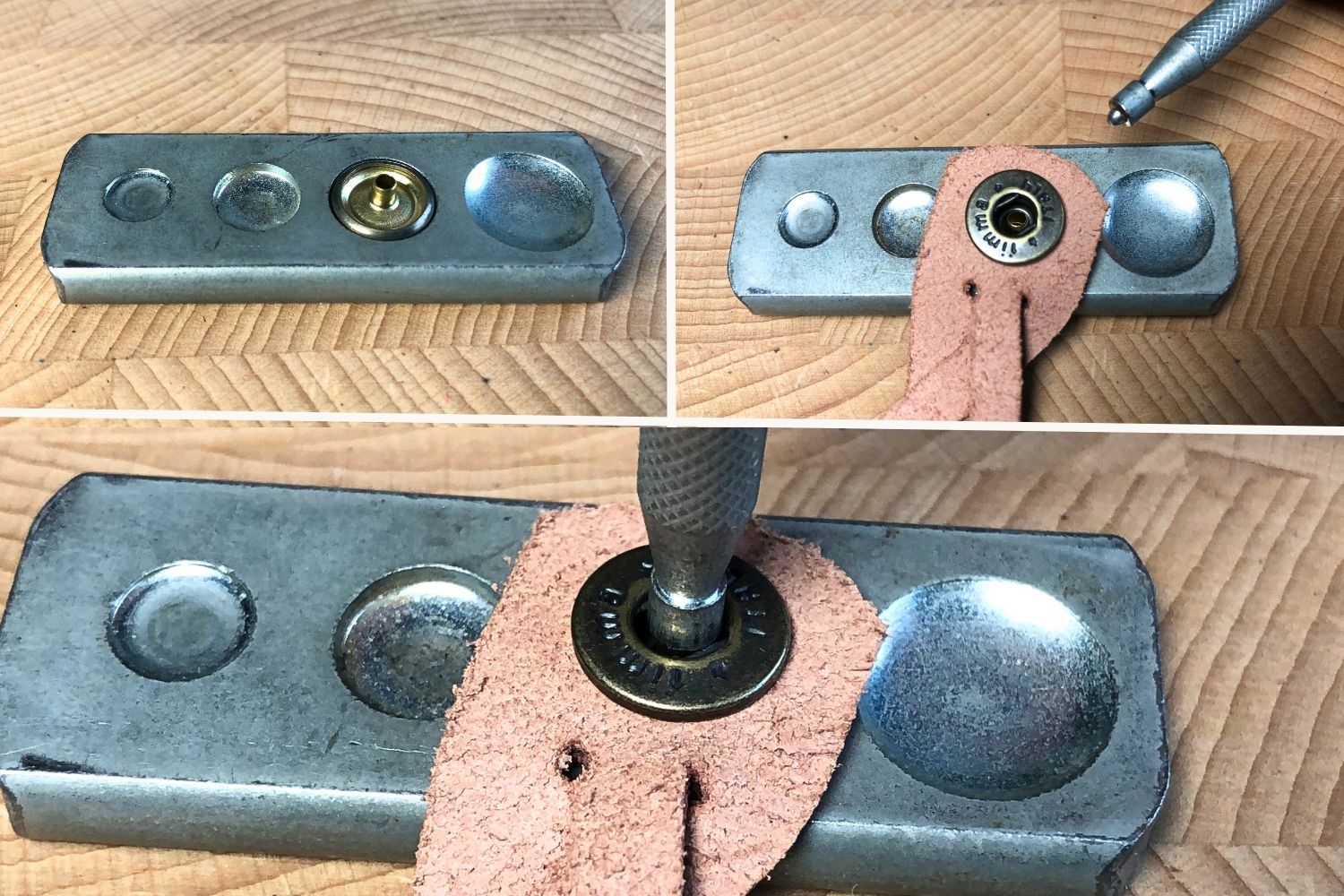
3. Install Cap + Socket
Lay the rounded cap into the rounded side of your anvil.
Push the socket-stem through the leather (so the socket sits flush against the leather). Then lay it over the cap, with the stem of the cap going through the middle of the socket (as shown in the pictures below).
Use the correct setting tool. (the tip of the tool should fit on top of the stem of the post)
Strike firmly, but controlled, a few times. Rotate the setting tool a little to make sure it sets evenly.
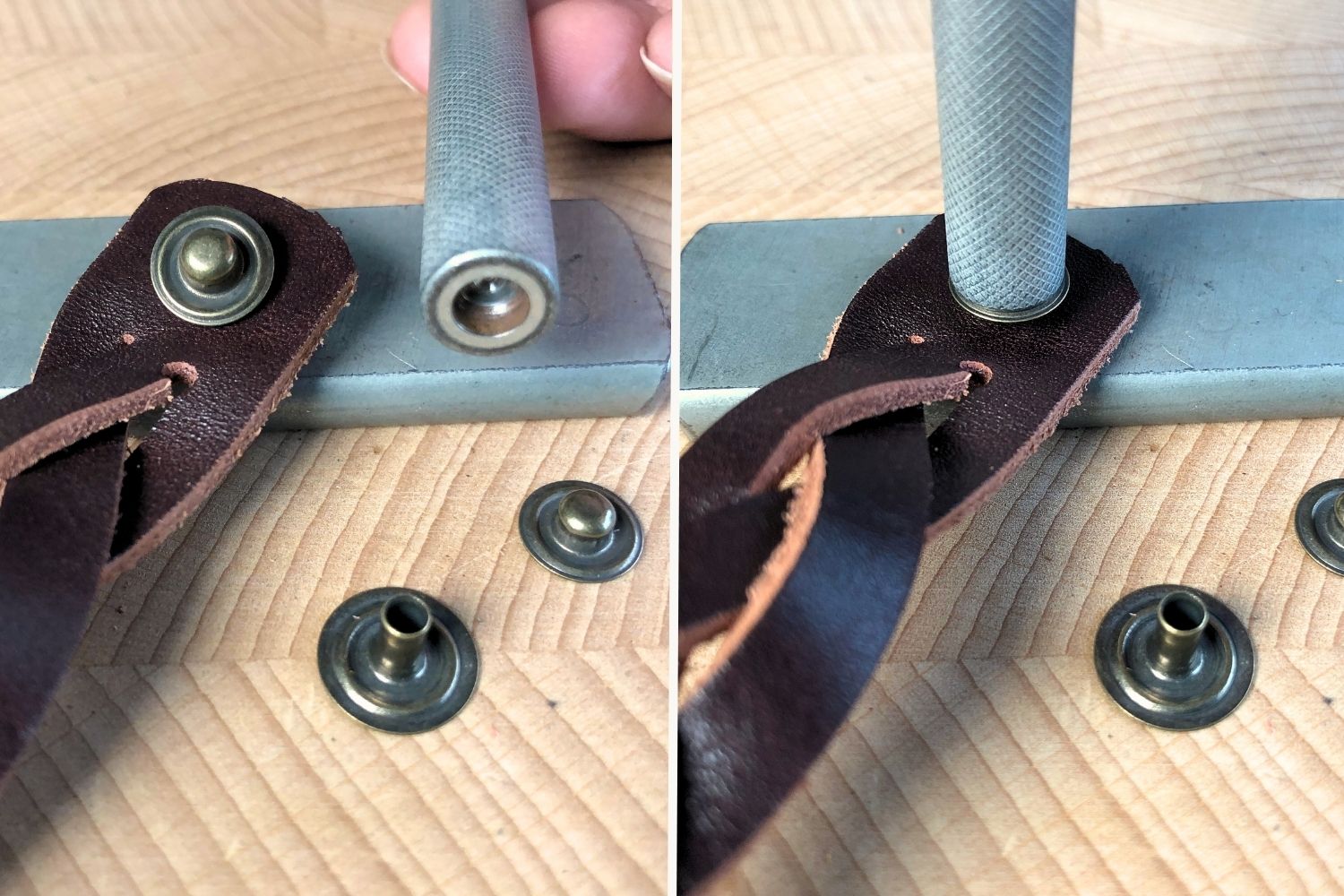
4. Install Stud + Post
Repeat the same process on the opposite side, however, this time use the flat surface of your anvil.
For Glove Snaps you use a hollow ended tool as pictured. For line snaps you use a setter with a tip on it like you used for setting the cap and socket.
5. Test the Snap
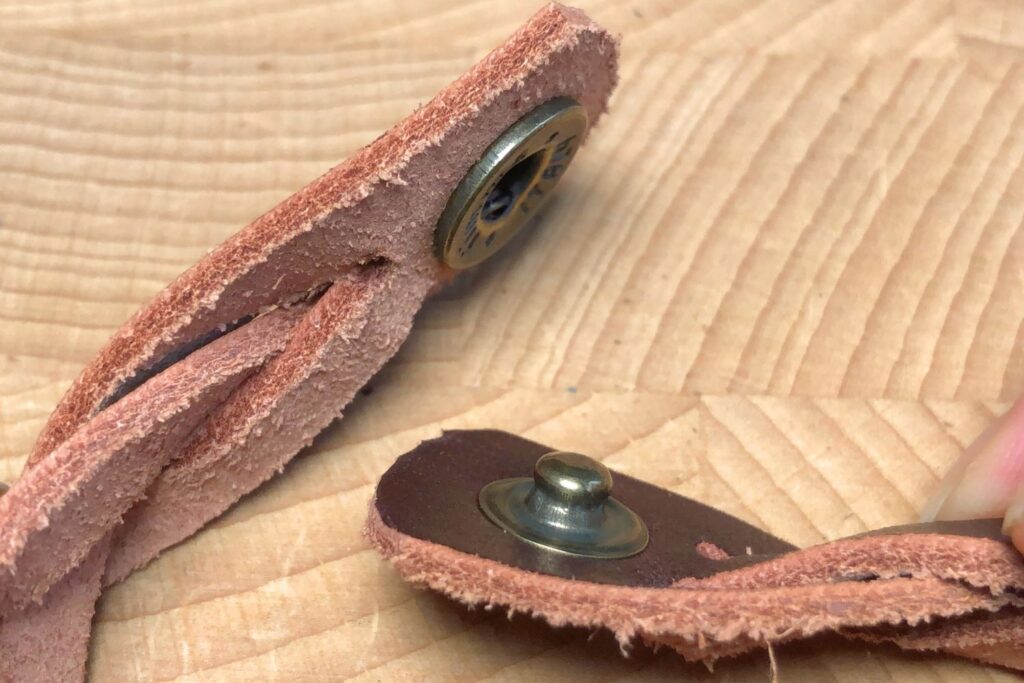
It should click firmly when you close it and release with a solid pull.
I like to also test each side separately by grabbing them between my fingers, if it spins, something went wrong during setting. You can try to hammer it another few times, in case it wasn’t set firmly enough, usually this will fix it.
Common Mistakes
Hole too large:
→ The snap won’t grip properly.
Leather too thick for the post length:
→ The post must extend slightly beyond the leather before setting,
if it doesn’t extend enough, it doesn’t have enough to grip on.
Using the wrong setter:
→ Each snap type requires different tools.
Not supporting the cap properly:
→ If the cap isn’t sitting in the matching anvil cup, it can flatten or deform.
When to Use Snaps in Your Projects
Snaps are great for:
- Wallets
- Pouches
- Tool rolls
- Book Covers
- (Adjustable) Bracelets
I use them in several of my patterns because they’re reliable and easy to install once you’ve practiced a few times.
If you’d like to try snaps in a simple project, I use them in this slim wallet with coin pocket pattern
FAQ:
Final Thoughts
Setting snaps feels intimidating the first time.
But after you’ve set a few of them, it becomes routine.
Take your time, use the correct tools, and don’t rush the hammer strikes.
Like most things in leathercraft, clean results come from preparation and practice more than force.
New to leathercraft and not sure what tools you need yet? Start with the Beginner’s Leathercraft Tool Guide.
You can find more step-by-step leathercraft tutorials and guides HERE.